In the world of modern software development, managing containerized applications at scale presents a significant challenge. Kubernetes, often abbreviated as K8s, has emerged as the de facto standard for container orchestration. But how does it actually work? The power of Kubernetes lies in its sophisticated, distributed architecture designed for automation, scalability, and resilience.
Understanding the core components of the Kubernetes architecture is essential for any developer, DevOps engineer, or system administrator working in a cloud-native environment. This guide will break down the entire system, from the cluster’s brain in the control plane to the worker nodes where your applications run, providing a clear picture of how they interact to manage your workloads seamlessly.
Table of Contents
- The Foundation: Understanding the Kubernetes Cluster
- The Control Plane: The Brain of the Kubernetes Cluster
- Worker Nodes: Where Your Applications Live and Run
- Key Kubernetes Objects: How Users Interact with the Architecture
- Kubernetes Component Breakdown
- The Atomic Unit: What is a Kubernetes Pod?
- How It All Works Together: A Deployment Workflow
- The Architectural Advantage of Kubernetes
- Frequently Asked Questions About Kubernetes Architecture
The Foundation: Understanding the Kubernetes Cluster
A Kubernetes cluster is a set of node machines for running containerized applications. At its core, the entire Kubernetes architecture operates on a declarative model. This means you, the user, define the desired state of your application—for example, “I want three instances of my web server running with this specific container image.” Kubernetes then continuously works to ensure the cluster’s current state matches your desired state.
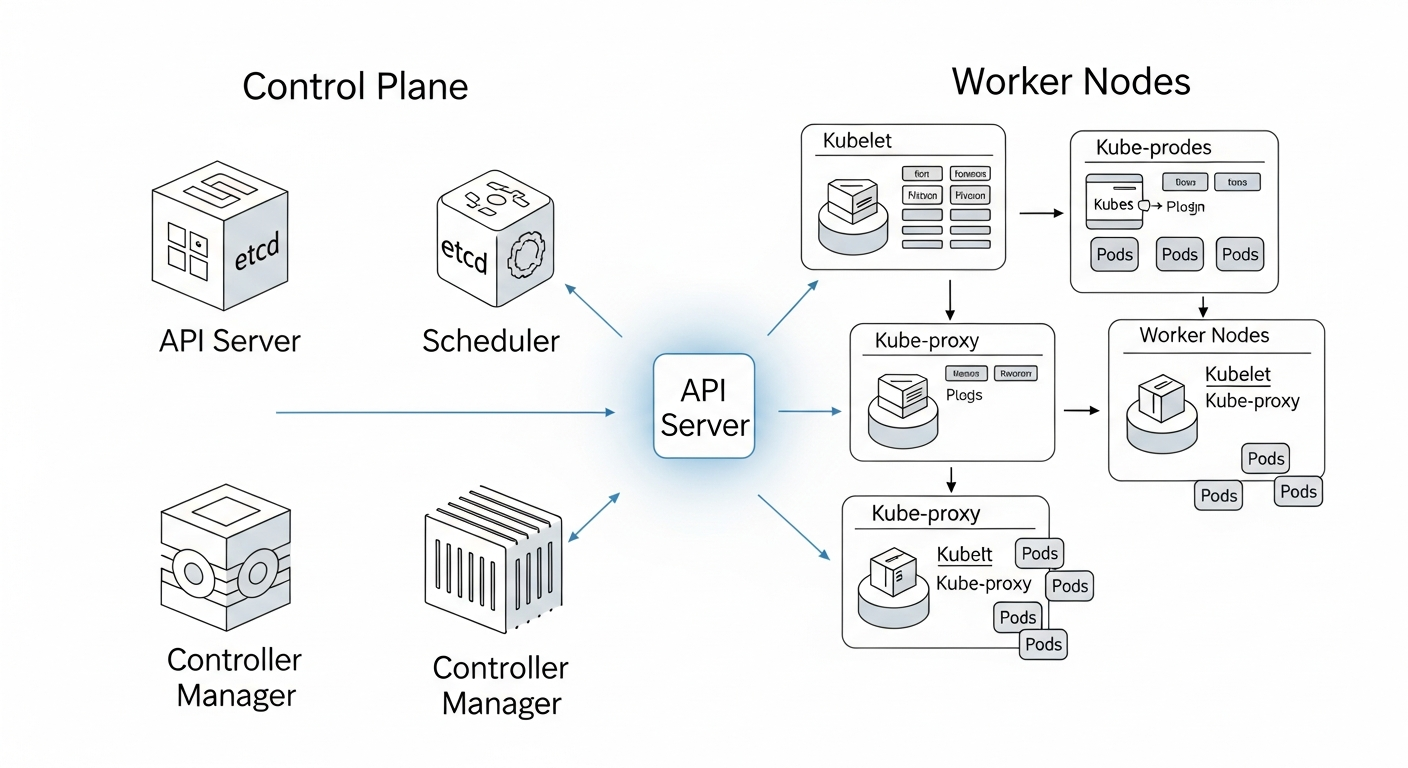
This cluster is composed of two primary types of machines, or nodes:
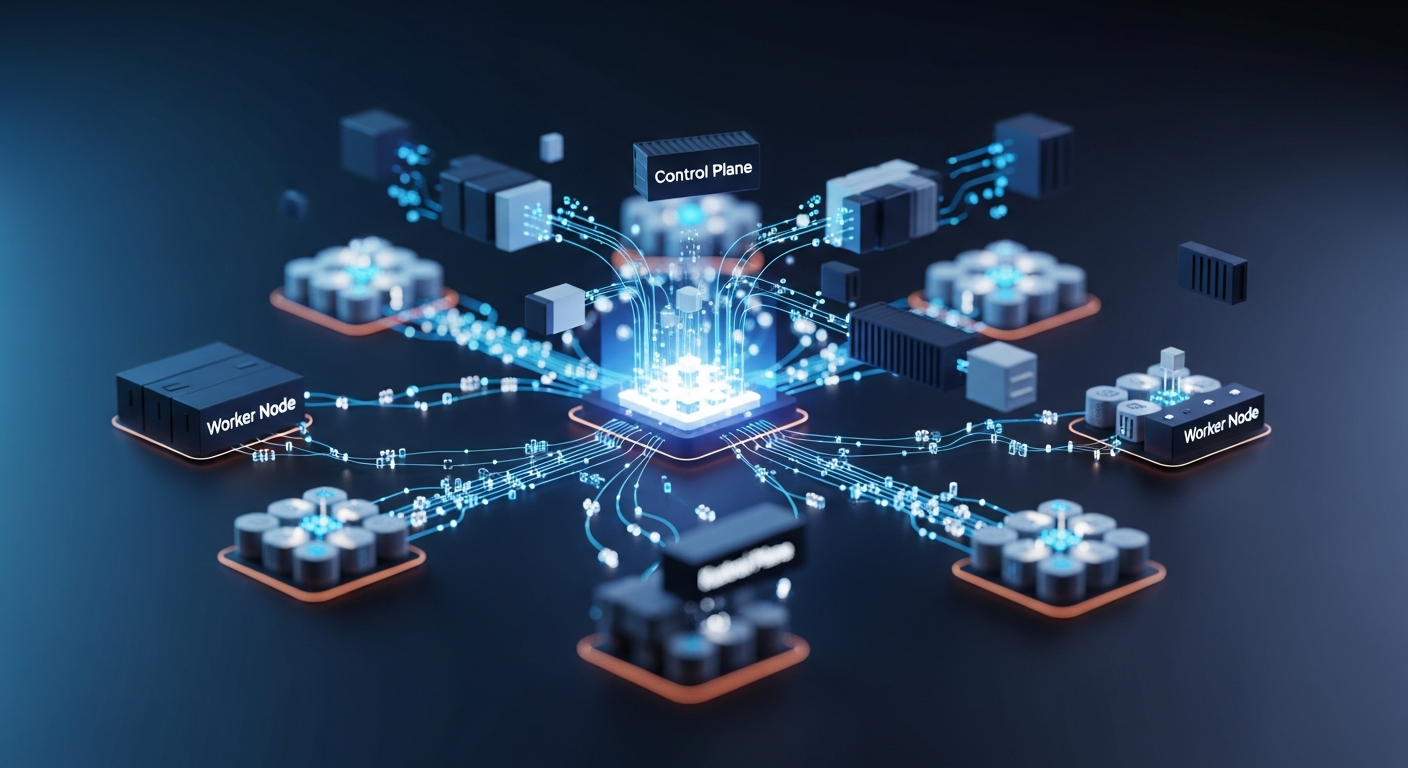
- The Control Plane: Acts as the central management unit or the ‘brain’ of the cluster. It makes global decisions, detects and responds to cluster events, and ensures the system operates according to the declared desired state.
- Worker Nodes: These are the machines that do the heavy lifting. They are responsible for running the actual application containers and reporting their status back to the control plane.
The Control Plane: The Brain of the Kubernetes Cluster
The Control Plane is responsible for managing the state of the Kubernetes cluster. Its components work in concert to handle all administrative tasks, from scheduling applications to ensuring the correct number of containers are running. It is the source of truth and the command center for all cluster operations.
kube-apiserver: The Gateway to the Cluster
The kube-apiserver is a control plane component that exposes the Kubernetes API, acting as the front end for all cluster operations. Every command you run with `kubectl`, every interaction from a worker node, and every communication between components goes through the `kube-apiserver`. As described in the official Kubernetes documentation, it validates and processes requests, updates the cluster’s state in `etcd`, and serves as the central hub for the entire system.
etcd: The Cluster’s Persistent Memory
etcd is a consistent and highly-available key-value store used as Kubernetes’ backing store for all cluster data. It serves as the single source of truth for the entire Kubernetes cluster. All cluster state, configuration data, and metadata are stored here. By having a reliable data store like etcd, the control plane knows the exact configured state of every node, pod, and resource, allowing it to make accurate decisions to reconcile the desired state.
kube-scheduler: The Intelligent Pod Placer
The kube-scheduler is a control plane component that watches for newly created Pods with no assigned node and selects a node for them to run on. This decision isn’t random; the scheduler considers factors like resource requirements (CPU, memory), hardware constraints, and other policy rules to find the most suitable home for the Pod.
A key strategy to consider in real-world implementations involves influencing the scheduler’s decisions. Experienced operators use advanced features like taints and tolerations to prevent Pods from being scheduled on inappropriate nodes, and node affinity rules to attract Pods to specific nodes based on labels.
kube-controller-manager: The Cluster’s Reconciliation Loop
The kube-controller-manager is a control plane component that runs controller processes, which are background loops that regulate the state of the system. Each controller is responsible for a specific aspect of the cluster’s state. For example, the Node Controller handles nodes going down, and the Replication Controller ensures the correct number of Pods are running. These controllers constantly watch the state via the API server and make changes to drive the current state toward the desired state.
Real-World Practice: Control Plane High Availability
A common mistake in production environments is running a single-master control plane, which creates a single point of failure. Modern Kubernetes architecture best practices advocate for a high-availability (HA) setup, which involves running multiple instances of control plane components (especially `kube-apiserver` and `etcd`) across several master nodes. This ensures that if one master node fails, the cluster remains operational and manageable.
Worker Nodes: Where Your Applications Live and Run
Worker nodes are the machines (virtual or physical) that execute the tasks assigned by the control plane. They host the Pods, which are the components of the application workload. Each worker node runs several key processes to communicate with the control plane and manage the containers.
kubelet: The Agent on Every Node
The kubelet is an agent that runs on each node in the cluster and ensures that containers are running in a Pod. It receives instructions (PodSpecs) from the `kube-apiserver` and takes action to create, start, stop, or update containers on its node to match the desired state. It is the primary link between a worker node and the control plane.
kube-proxy: The Cluster Networking Manager
The kube-proxy is a network proxy that runs on each node in your cluster, implementing part of the Kubernetes Service concept. It maintains network rules on nodes which allow for network communication to your Pods from both inside and outside the cluster. It handles things like routing traffic to the correct Pods for a given Service.
Container Runtime: The Engine for Your Containers
The container runtime is the software that is responsible for running containers. Kubernetes is flexible and supports several runtimes that adhere to its Container Runtime Interface (CRI), including `containerd` and `CRI-O`. While Docker was historically popular, `containerd` is now more common in modern Kubernetes architecture.
Key Kubernetes Objects: How Users Interact with the Architecture
While the components above form the architecture, users typically interact with higher-level objects. Understanding these objects clarifies how user intent is translated into action by the control plane.
- Deployment: This is the most common way to run a stateless application. A Deployment object allows you to declaratively describe your desired state, and the `kube-controller-manager` handles the rest, such as creating a ReplicaSet to manage the Pods and rolling out updates with zero downtime.
- ReplicaSet: Its primary purpose is to maintain a stable set of replica Pods running at any given time. While you can use it directly, it’s most often managed by a Deployment object to ensure the desired number of Pods are available.
- Service: Pods are ephemeral and can be replaced, meaning their IP addresses change. A Service provides a stable, single network endpoint (a virtual IP and DNS name) for a set of Pods. The `kube-proxy` on each node is responsible for implementing the networking rules defined by the Service, ensuring traffic is correctly routed to the healthy Pods.
Kubernetes Component Breakdown
To summarize the roles of these core components, here is a quick-reference table that outlines their primary responsibilities within the Kubernetes architecture.
| Component | Primary Responsibility |
|---|---|
| Control Plane Components | |
| kube-apiserver | Exposes the Kubernetes API and validates all incoming requests. |
| etcd | Stores all cluster state data as the single source of truth. |
| kube-scheduler | Assigns new Pods to available and suitable worker nodes. |
| kube-controller-manager | Runs controller loops to reconcile current state with desired state. |
| Worker Node Components | |
| kubelet | Ensures containers specified in Pods are running and healthy on a node. |
| kube-proxy | Manages network rules and enables communication to Pods via Services. |
| Container Runtime | The underlying software that runs the containers (e.g., containerd). |
The Atomic Unit: What is a Kubernetes Pod?
A Pod is the smallest and simplest deployable unit in the Kubernetes object model. It represents a single instance of a running process in your cluster. While a Pod can contain a single container, it is designed to support multiple co-located containers that are tightly coupled and need to share resources.
This abstraction is powerful because all containers within a single Pod share the same network namespace (the same IP address and port space) and can share storage volumes. This allows them to communicate efficiently and be managed as a single atomic unit, simplifying application design and deployment.
How It All Works Together: A Deployment Workflow
Let’s walk through a simplified example of deploying an application:
- You submit a manifest (a YAML file) defining a Deployment to the `kube-apiserver`.
- The API server validates the request and writes it to `etcd`, creating a desired state.
- The `kube-controller-manager` detects the new Deployment and creates a ReplicaSet, which in turn creates the required number of Pods to satisfy it.
- The `kube-scheduler` sees the new Pods without an assigned node. It evaluates the worker nodes and assigns each Pod to the most suitable one, updating the Pod’s information in `etcd` via the API server.
- The `kubelet` on the assigned worker node sees that a new Pod is scheduled for it. It pulls the required container images and starts the containers using the container runtime.
- The `kubelet` continuously reports the status of the Pod and its containers back to the `kube-apiserver`, updating the current state in `etcd`.
Throughout this process, the controller manager continues to watch. If a node fails, it will work with the scheduler to create replacement Pods on healthy nodes, demonstrating the system’s self-healing capabilities.
The Architectural Advantage of Kubernetes
The distributed and component-based Kubernetes architecture is what gives it such powerful capabilities:
- Automated Self-Healing: By constantly comparing the desired state with the current state, Kubernetes can automatically restart failed containers, replace Pods, and reschedule them on healthy nodes.
- Seamless Scalability: Need to handle more traffic? Simply update your desired state to request more Pod replicas, and the controller manager and scheduler will work to provision them across the cluster.
- Unmatched Portability: Because the architecture abstracts away the underlying infrastructure, an application designed to run on a Kubernetes cluster can run consistently across on-premises data centers, public clouds, and hybrid environments.
- Powerful Extensibility: The Kubernetes API is not a monolith. Experts can extend it using Custom Resource Definitions (CRDs), allowing them to add their own objects and controllers. This has created a vast ecosystem of tools that integrate natively with Kubernetes.
Understanding this architecture is the first step to mastering container orchestration. By grasping how these components and objects interact, you can more effectively deploy, manage, and troubleshoot your applications in any cloud-native ecosystem.
Frequently Asked Questions About Kubernetes Architecture
Here are answers to some common questions about the components of Kubernetes.
What are the two main parts of the Kubernetes architecture?
The two main parts are the Control Plane and the Worker Nodes. The Control Plane acts as the brain, making global decisions about the cluster (like scheduling), while the Worker Nodes are the machines that run the actual containerized applications.
What is the function of etcd in the control plane?
etcd is a consistent and highly-available key-value store used as Kubernetes’ backing store for all cluster data. It stores the configuration, state, and metadata of the entire cluster, acting as the single source of truth for the Kubernetes architecture.
What is the difference between kubelet and kube-proxy?
Both run on worker nodes, but have different roles. The kubelet is an agent that ensures containers described in PodSpecs are running and healthy. The kube-proxy maintains network rules on nodes, enabling network communication to your Pods from inside or outside the cluster by implementing the Kubernetes Service concept.
Why are Pods used in Kubernetes instead of just containers?
Pods are the smallest deployable units in Kubernetes and can contain one or more tightly coupled containers. This abstraction allows containers within the same Pod to share resources like networking (IP address) and storage, and be managed as a single unit, simplifying deployment and management.