
WordPress RAG Content Generator Setup Guide
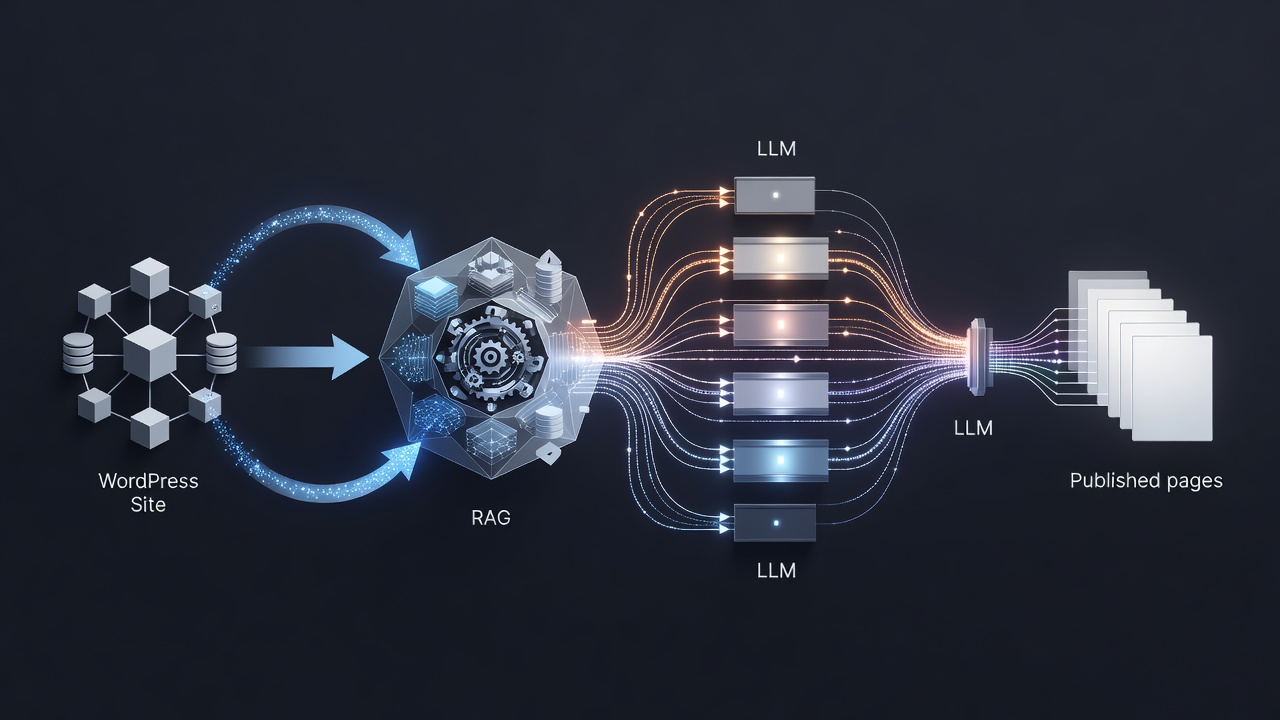
The wordpress rag content generator setup guide shows how AIRAG pSEO Agent indexes your site pages PDFs and images then applies retrieval-augmented generation across multiple LLMs to produce accurate SEO-optimized content automatically.
Table of Contents
- WordPress RAG Content Generator Overview
- AIRAG pSEO Agent Plugin Installation
- Connecting Knowledge Sources to the RAG Engine
- Configuring Multi-Model AI Settings
- Setting Up Autonomous Content Scheduling
- Frequently Asked Questions
WordPress RAG Content Generator Overview
AIRAG pSEO Agent functions as a WordPress RAG content generator by first scanning your existing site content and then applying retrieval-augmented generation to produce factually accurate SEO-optimized pages and posts.
AIRAG pSEO Agent Plugin Installation
Begin the WordPress RAG content generator setup by installing AIRAG pSEO Agent from the WordPress plugin directory or uploading the zip file through the admin dashboard. After activation enter your license key obtained from the AIRAG pSEO Agent purchase page to unlock full features.
Connecting Knowledge Sources to the RAG Engine
Navigate to the plugin Knowledge Base section and select the pages PDFs and images you want indexed. The RAG engine processes these files to create embeddings that ground all future generated content in your actual business data.
Configuring Multi-Model AI Settings
| Model | Best For | Context Window |
|---|---|---|
| Gemini | Large-scale data grounding | 1M+ tokens |
| GPT | Creative long-form writing | 128K tokens |
| Grok | Real-time logic and reasoning | 128K tokens |
Select your preferred model for each content type directly inside the dashboard. You can switch models at any time without affecting previously indexed RAG data.
Ready to automate your WordPress content strategy?
Setting Up Autonomous Content Scheduling
Use the built-in Autonomous Schedule Manager to define publishing frequency. WP-Cron executes daily weekly or monthly generation jobs automatically creating new programmatic SEO pages without manual intervention.
Frequently Asked Questions
How long does RAG indexing take on a typical WordPress site?
RAG indexing duration depends on the volume of pages PDFs and images. Most sites complete initial indexing within 30 to 90 minutes.
Does the plugin support custom post types for programmatic pages?
Yes. AIRAG pSEO Agent works with any registered custom post type allowing full programmatic SEO page generation across custom structures.
Which LLMs can I switch between inside the dashboard?
You can switch between Gemini GPT and Grok models directly from the plugin settings for different content tasks.
Connect with a specialist to complete your WordPress RAG content generator setup today: Start Configuration
